


Information provided is based on research. We strive for accuracy, but consult professionals for personalized advice. External links are not under our control. See our Privacy Policy for details.
As an architect who used CAD tools for over ten years, I have seen how AutoCAD has been the staple in the industry-reliable, versatile, and internationally known and upheld as a standard in 2D and 3D drafting. However, with the rise of alternative software, its subscription-based pricing model indeed drove me to look for alternatives. This investigation is justified by the need to seek and explore such tools that can perform similar tasks at a cheaper cost, maybe with some new features not in AutoCAD.
In this case study, I will be sharing my hands-on experiences with some of the Best AutoCAD Alternatives: BricsCAD, SketchUp, FreeCAD, and Rhino 3D. Each has strengths, weaknesses, and different use cases for which it may be more or less useful. Sharing my journey, I was hoping to provide insights for readers who might consider making a switch. I will also highlight how cloud-based features have become crucial in CAD software, much like the role of cloud computing in modern management.
1. BricsCAD: The Best Option for Me
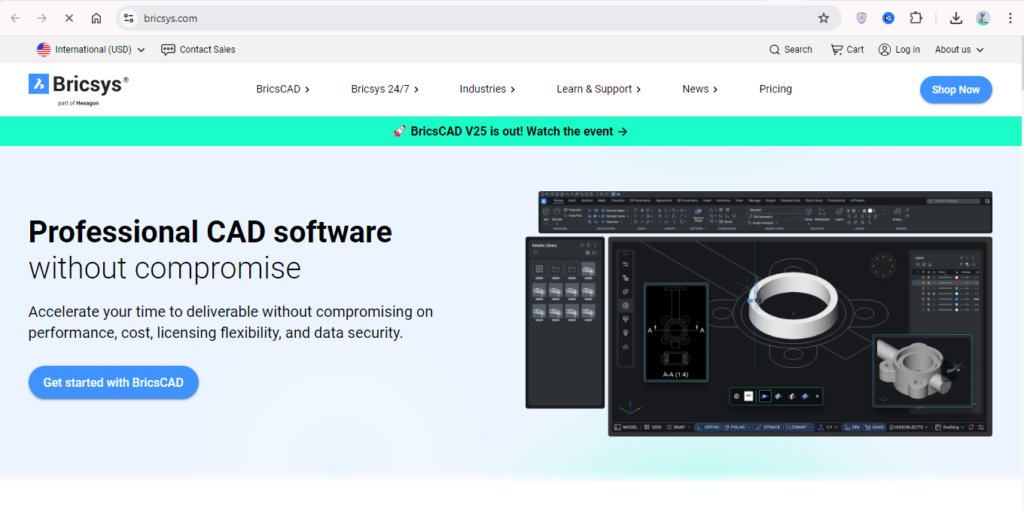
First, I took a closer look at BricsCAD. At first, I thought, “Well, BricsCAD is probably a lot less powerful than AutoCAD.” But right away, I found that BricsCAD’s interface is just about a mirror image of AutoCAD’s, which makes it very easy to become comfortable with. I did not have to invest much time in relearning the commands or trying to find tools and options with which I was familiar, and this was a great relief. It natively supports .dwg, meaning all my project files opened seamlessly.
Features and Benefits
- Cost-Efficiency: One of the biggest factors that drew me to BricsCAD was its licensing model. While AutoCAD’s subscription costs around $1,800 per year, BricsCAD offers a perpetual license for approximately $800, making it a more budget-friendly choice for long-term users.
- User Interface: BricsCAD’s UI felt like home after years of using AutoCAD. Its layout, commands, and even the default keyboard shortcuts are so similar that I didn’t feel any disruption in my workflow.
- Cloud Compatibility: The software’s integration with cloud-based storage options like Dropbox and Google Drive was particularly useful. It allowed me to collaborate with team members remotely, similar to how Netflix leverages cloud computing for scalability. For more insights on how cloud computing powers large-scale operations, check out my detailed article on what cloud computing does Netflix use.
I used BricsCAD for a commercial office renovation project, where time was of the essence. The client wanted updates almost daily, and the ability to quickly save changes and share files through cloud storage made communication smoother. The transition from AutoCAD to BricsCAD was effortless since the software supported .dwg files. However, I did notice that some advanced features, like certain 3D modeling tools, required additional plugins, which added to the cost and complexity.
| Feature | BricsCAD | AutoCAD |
|---|---|---|
| Licensing | Perpetual | Subscription |
| File Format | .dwg, .dxf | .dwg, .dxf |
| Cloud Integration | Yes | Yes |
| Price (Annually) | ~$800 | ~$1,800 |
In hindsight, BricsCAD was a valuable alternative, especially for projects where I needed to work closely with my old AutoCAD files. For a more in-depth look at AutoCAD’s capabilities and how it compares to other software, check out my article on AutoCAD vs. SolidWorks.
2. SketchUp: The Ideal Choice for 3D Modeling
After working with BricsCAD, I turned my attention to SketchUp, a name I’d heard often in architectural circles. That is why the choice of SketchUp was so luring because it actually proved to be user-friendly and powerful in terms of 3D modeling for particular cases where speed of conceptual designs is needed. The thing I enjoyed with the usage of the application SketchUp is its simplicity; mainly, it is a drag-and-drop environment that allowed quick bringing of ideas into action without getting them involved deeply in complex commands.
Features and Benefits
- User-Friendly Interface: First of all, it has to be said that ease with which one interacts with this software cannot be exaggerated. Contrary to AutoCAD, where everything sometimes felt so technical, the interface in SketchUp was refreshingly soft. I could get a simple 3D model done within hours instead of days.
- Community Support: One of the biggest perks I have found to be the 3D Warehouse: a huge online library of already-constructed models that was from SketchUp. This has saved me a lot of time in one of the projects that I had to do at work, where I needed furniture models ready to use.
- Cloud Integration: SketchUp’s support for Trimble Connect, a cloud-based platform, meant I could work on designs from any location. This flexibility made me appreciate the importance of cloud computing in design, much like the rising demand for cloud computing jobs in various sectors.
I specifically recall working on a client project where the task was to develop a 3D visualization of some boutique retail space. Time was of essence, and they needed clear visuals of this for investor presentations. Using SketchUp, I quickly mocked up this interior layout with custom shelves and displays from the 3D Warehouse. He was very pleased with how fast that came together. It was, however, at this point that I actually had to do some proper 2D drawings from the model, and here I did start missing some drafting tools of AutoCAD.
| Feature | SketchUp | AutoCAD |
|---|---|---|
| Focus | 3D Modeling | 2D/3D Design |
| Learning Curve | Low | Moderate |
| Cloud Integration | Yes | Yes |
| Price (Annually) | ~$300 | ~$1,800 |
SketchUp shined in the early design phases, but for technical details, I had to turn back to more traditional CAD software. If you’re looking for the right hardware to run both AutoCAD and SketchUp smoothly, take a look at my article on the best laptops for AutoCAD and Revit.
3. FreeCAD: The Open-Source Alternative
Diving into FreeCAD was like opening a treasure box of possibilities. Being an open-source 3D CAD modeler, I was drawn by the fact that it is open to customizations. Unique from among its commercial cousins, such as AutoCAD and BricsCAD, for good reason. But interestingly, what really caught my attention was the aspect of parametric modeling, whereby one can change design by changing parameters, hence ideal for projects whose details evolve over time.
- Customizability: FreeCAD is open-sourced, hence applicable for different needs with various plugins. It came in quite handy in making a customized project for a mechanical part that needed non-standard measurements.
- Community-Driven: FreeCAD is supported by an active community of users and developers, so in regular updates, should something not seem to work properly, then usually a search through one of the many forums devoted to this software offers good advice. It’s like having access to a worldwide expert consultant network.
- Cloud Compatibility: Although FreeCAD does not support cloud storage out-of-the-box, I have been in a position to integrate it with web tools like Google Drive for file sharing. This workaround reminded me of how diverse cloud computing types can be integrated into workflows.
I used FreeCAD during a prototyping project for a small startup that needed custom parts for a mechanical device. It saved us a lot of time by being able to make modifications to the design parameters without needing to start from scratch. However, I have had a few problems with the interface of this software because it takes a little getting used to from a different workflow than what I have grown accustomed to in AutoCAD. Still, the fact that it was completely free means it has been an option for smaller projects with more sensitive budgets.
| Feature | FreeCAD | AutoCAD |
|---|---|---|
| Licensing | Free/Open-Source | Subscription |
| File Format | STEP, IGES, STL | .dwg, .dxf |
| Cloud Integration | Via third-party | Yes |
| Price (Annually) | Free | ~$1,800 |
FreeCAD is perfect for those who have the time to explore its intricacies and need a flexible tool without the financial burden. For more information on how cloud solutions can enhance your CAD experience, check out how cloud computing is changing management.
4. Rhino 3D: Precision Meets Flexibility
Of the software I had gone through, Rhino 3D was the last, and in pretty short order, it became one of my favorites for projects that truly needed advanced 3-D modeling. Originally, what attracted me to Rhino was that it could handle NURBS modeling. These are complex surfaces and curves that most CAD programs struggle to produce. Being a person who really enjoys exploring organic shapes in architectural facades, Rhino 3D felt like a revelation.
- Advanced 3D Modeling: Rhinoceros’s power in handling NURBS made it my go-to for projects with complex geometries. It allowed me to design free-form surfaces that would have been really challenging in other CAD software.
- Integration with Grasshopper: Grasshopper plug-in enables Rhino to perform parametric modeling, hence allowing endless possibilities of personalized design. It felt like finding a new creative tool
- Cloud Collaboration: Rhino supports cloud rendering, which allowed me to offload some of the heavy computational tasks to the cloud, freeing up my local resources. This was a game-changer for complex renderings.
I recall using Rhino 3D for an architectural competition entailing the design of a futuristic building façade. The client wanted a design that mimicked natural waveforms. Well, Rhino’s NURBS modeling let me capture fluid shapes with precision. The Grasshopper further fine-tuned design parameters, adjusting curvature and thickness to levels I had not experienced. The learning curve was steep, and once I got the hang of it, Rhino became one of my irreplaceable design weapons.
| Feature | Rhino 3D | AutoCAD |
|---|---|---|
| Focus | 3D/NURBS Modeling | 2D/3D Design |
| Plugin Support | Extensive | Limited |
| Cloud Integration | Yes | Yes |
| Price (Annually) | ~$1,000 | ~$1,800 |
If your projects involve organic forms or require parametric control, Rhino 3D is worth considering. And if you’re interested in understanding how cloud rendering can optimize CAD workflows, my article on 4 types of cloud computing offers a deep dive into the subject.
Conclusion: Which AutoCAD Alternative Is Right for You?
Having gone through all these alternatives of AutoCAD, the bottom line is that ‘the right choice depends on the nature of your projects’ and on what one needs. BricsCAD is good for anyone who’d like a seamless transition from AutoCAD with no recurring costs. The intuitive interface in SketchUp makes it suitable for rapid 3D visualizations, and FreeCAD allows flexibility for the person who enjoys open-source solutions. Rhino 3D excels in the realm of intricate 3D modeling, most especially where precision and organic forms are required.
It’s not all about the budget that decides which new CAD software to choose but also finding a tool that will work with your workflow and creative vision. Today, collaboration between different platforms is at the center of every remote and cloud workspace. By utilizing the cloud functionality of these options, you are able to be productive regardless of your location. If you are considering making a switch, I hope this case study helps you with clarity into what will best suit your needs.